

Your day, in your pocket: Doodle is now on iOS and Android

Updated: Nov 17, 2026
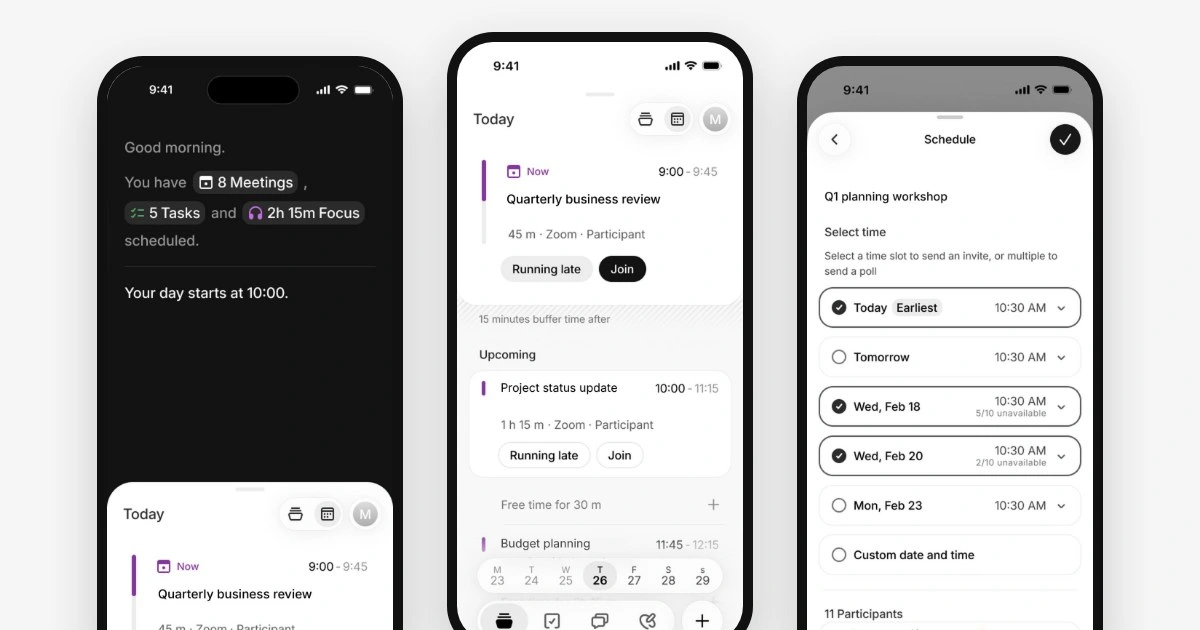
Available on | Works with | Included in |
|---|---|---|
iOS and Android | Google, Microsoft 365 and iCloud | Every Doodle plan |
You step out of one meeting and your phone buzzes. The 2 pm has moved to 2:30, and now it sits right on top of the call you promised a client. You’ve got four minutes and a phone.
So you open your calendar, pinch, scroll, tap the wrong meeting and go back. By the time you’ve found both, you’re late for the next one.
A full day doesn’t fit on a phone screen. A week built for a laptop shrinks to slivers, the details sit two taps deep, and changing a meeting can feel like wrestling with sand.
Yet the phone is often all you have. In Adobe’s research with 1,000 US full-time employees, 30% said they work from their phone during the commute and 29% at personal appointments. And the day keeps moving: the 2025 Work Trend Index special report found 1 in 10 scheduled meetings are booked at the last minute.
We’ve all been there, and we kept falling into the same trap ourselves. We wanted one place to see our personal and work day that felt quick and easy on a phone. So we built it. Say hello to our new mobile apps for iOS and Android.
Sources: Adobe Acrobat, mobile tech troubles research · Work Trend Index special report, 2025
Tap through the app
Here’s a short walk through a day in Doodle on mobile, in nine screens.
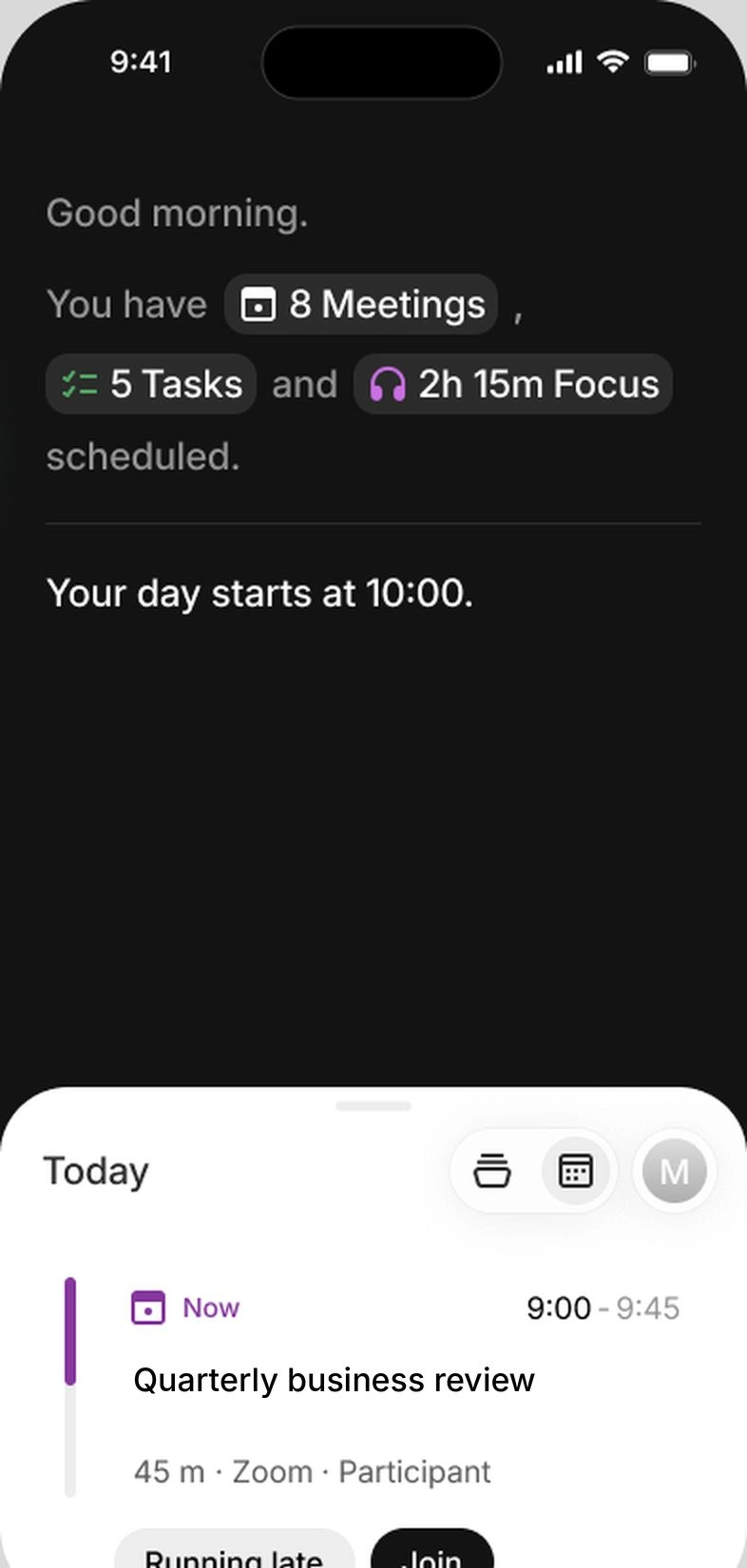
Screen 1 of 9: Start with your morning A brief sums up the day before it starts: 8 meetings, 5 tasks and 2h 15m of focus.
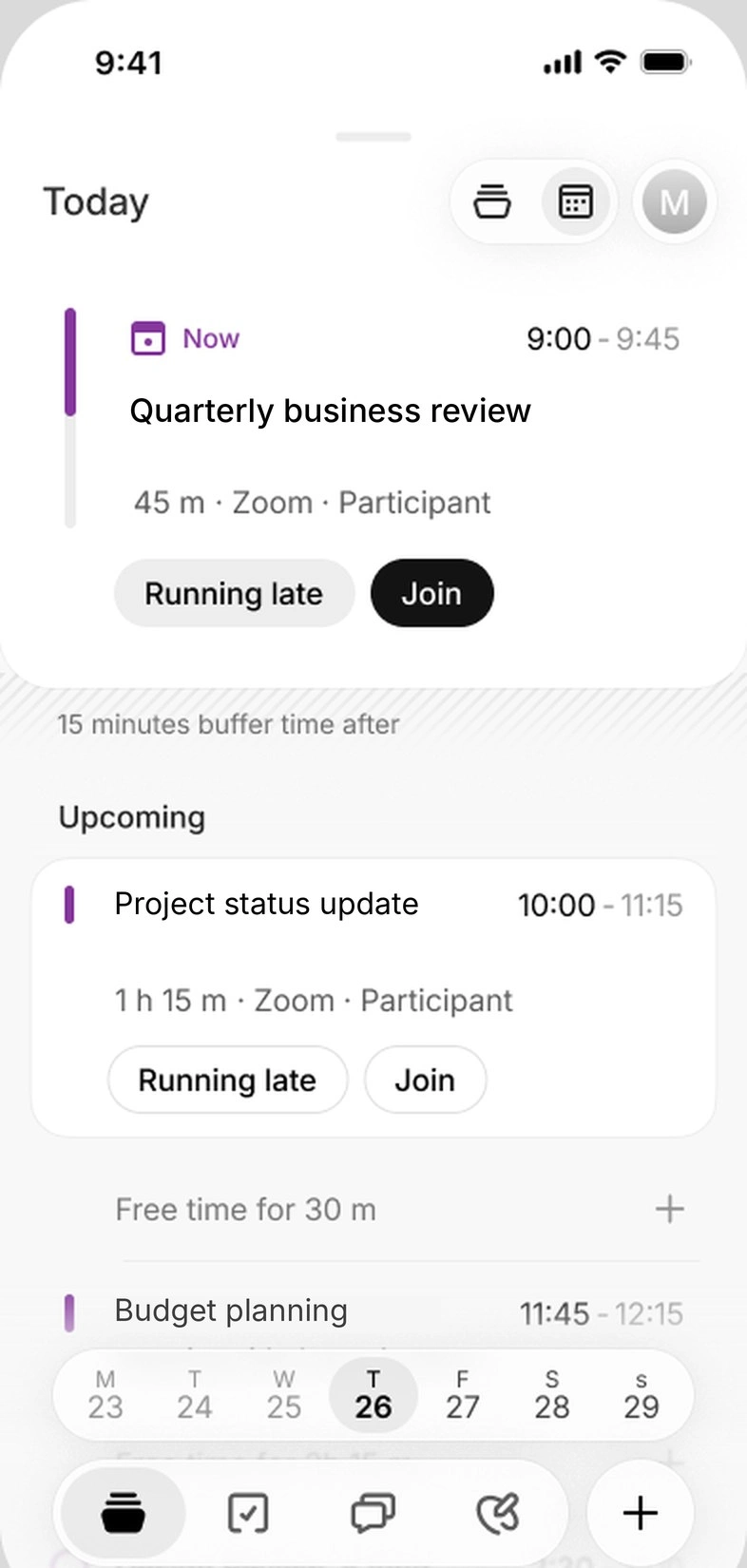
Screen 2 of 9: See what’s happening now The Now card shows the meeting you’re in and the time left, with Running late and Join. Upcoming lists the rest of the day.
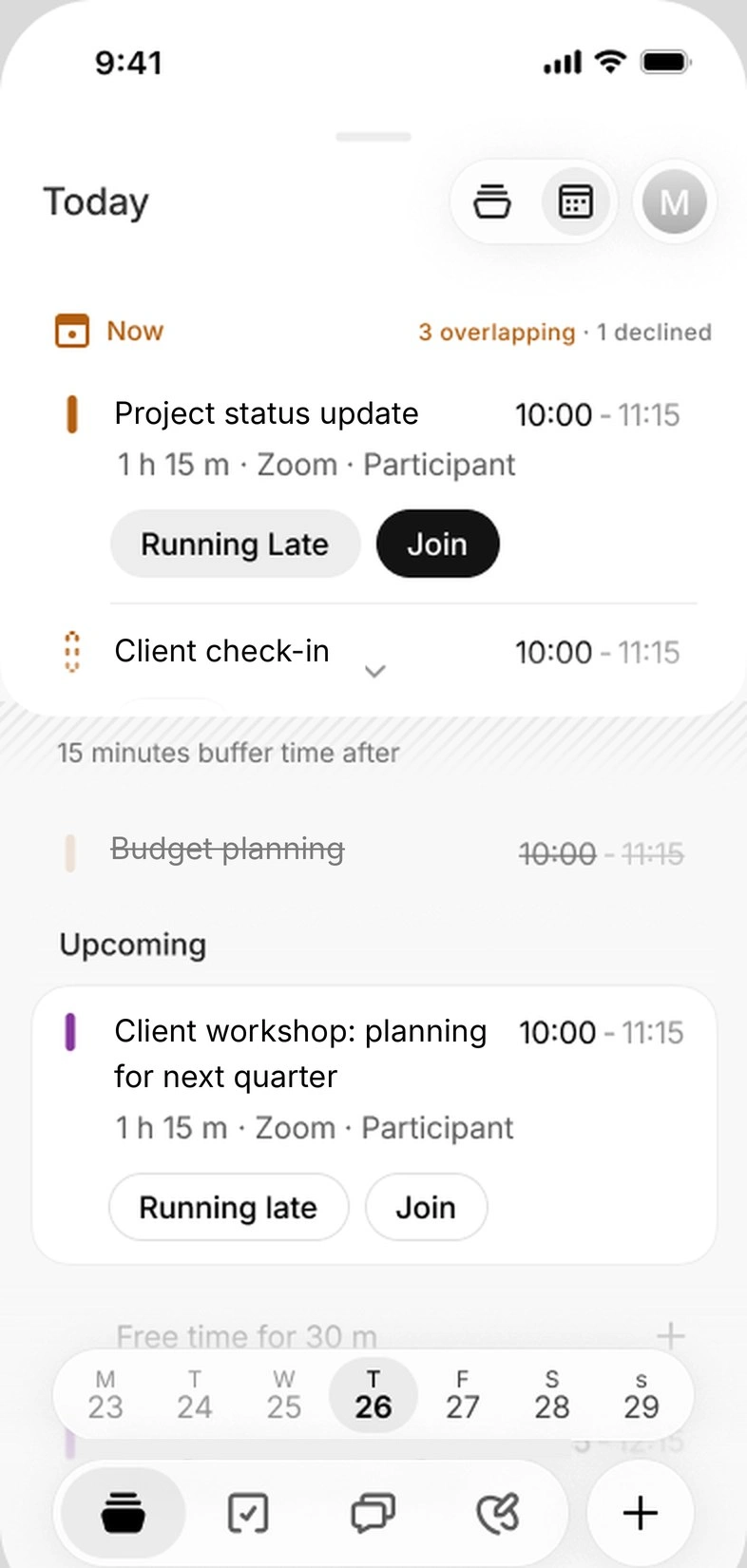
Screen 3 of 9: A clash turns up A meeting has moved, and now two overlap at 10:00. Doodle flags it right on the Now card: 3 overlapping, 1 declined.
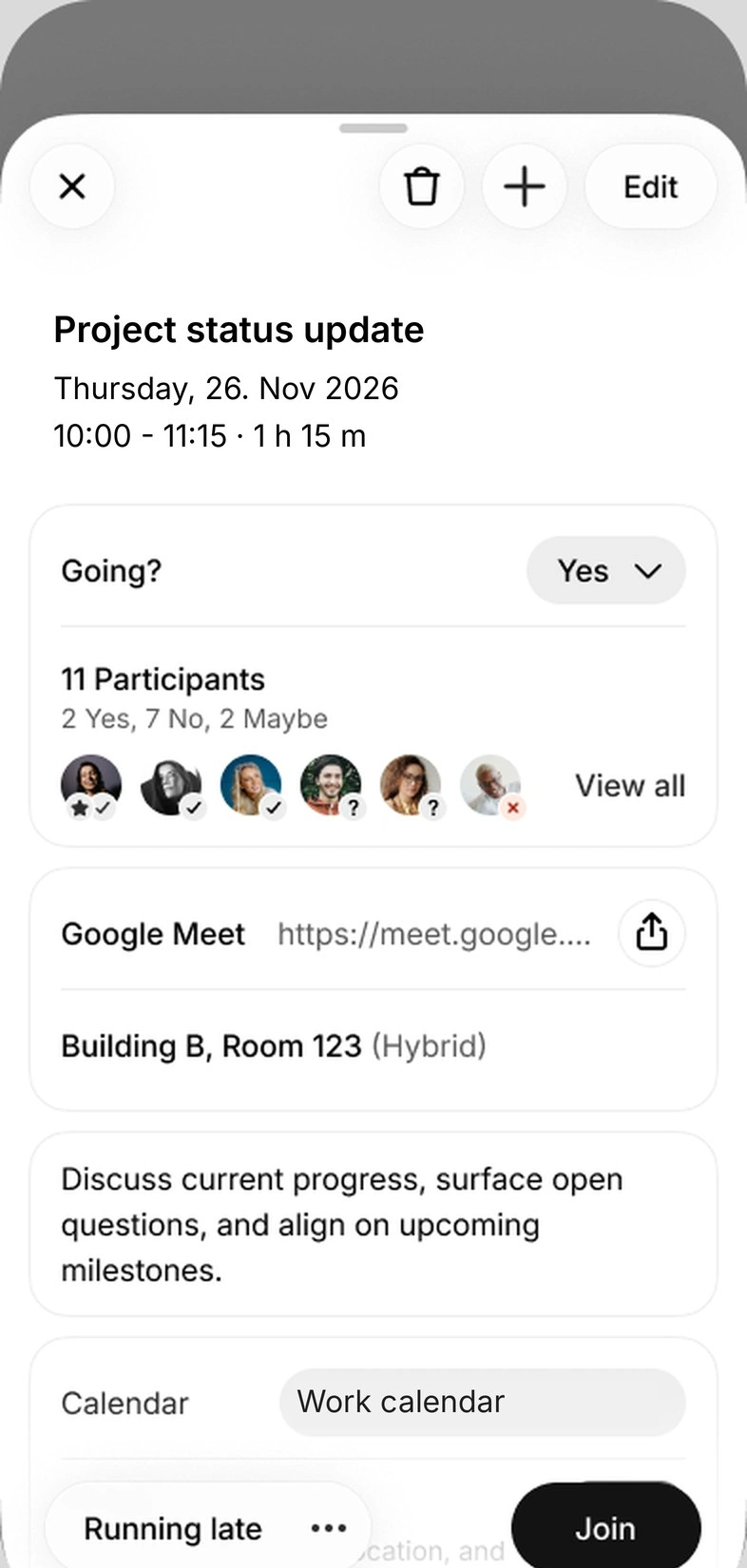
Screen 4 of 9: Open the meeting See who’s going, the call link and the room. Still stuck in the meeting before?
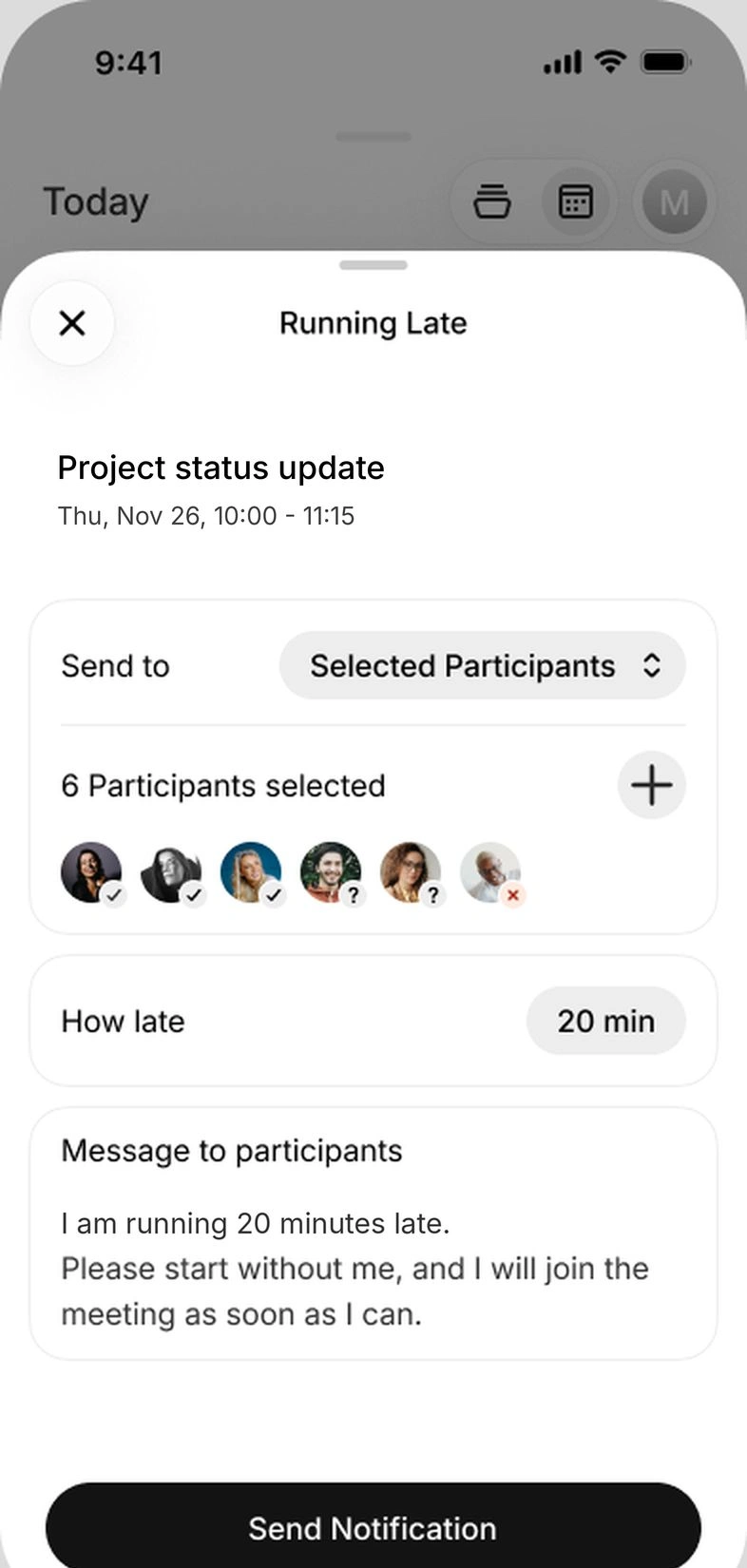
Screen 5 of 9: Let the right people know Pick who to tell and how late you’ll be. The message is written for you, and one tap sends it.
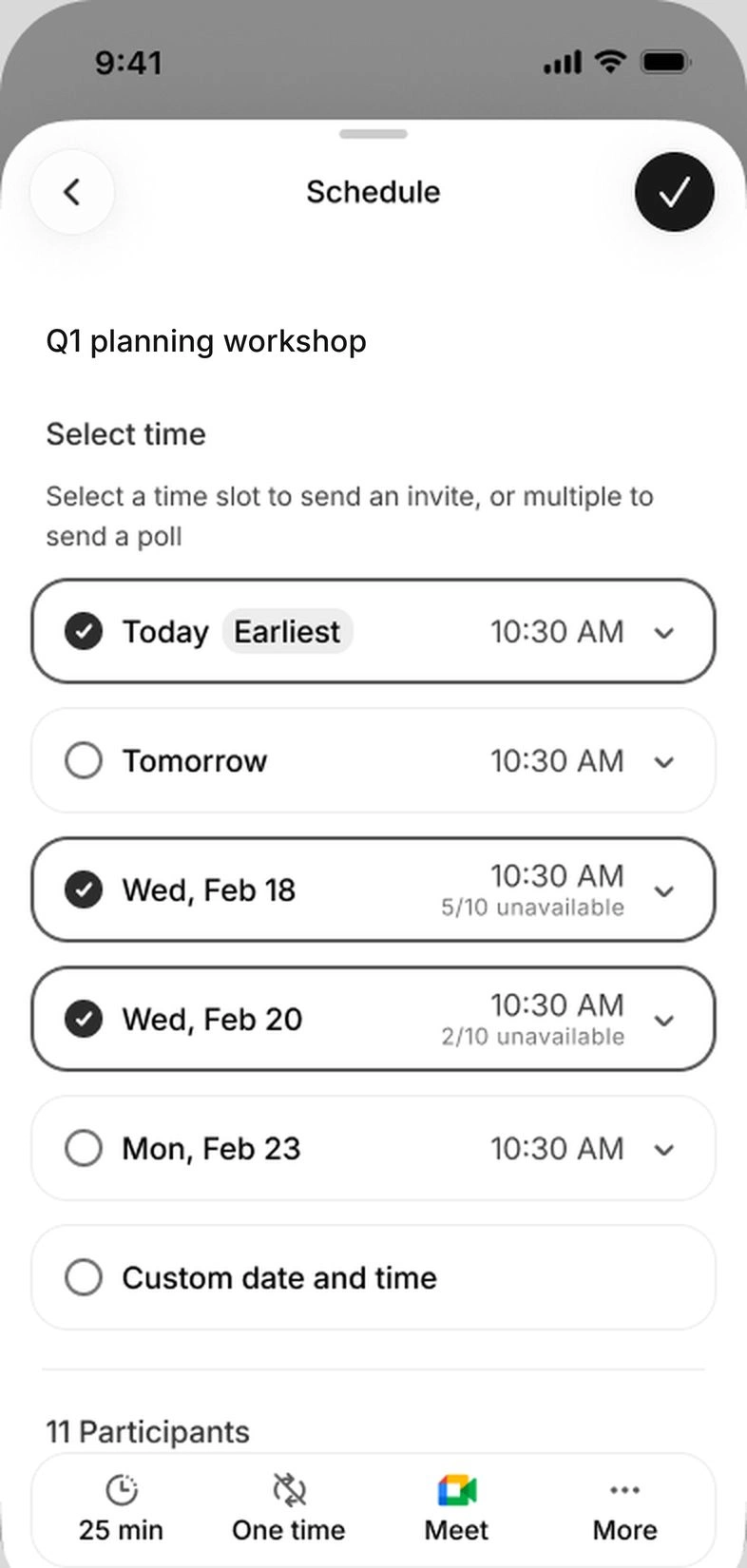
Screen 6 of 9: Find a time for the next one Add people and Doodle flags the earliest time that works. Pick a few times instead, and a group poll goes out.
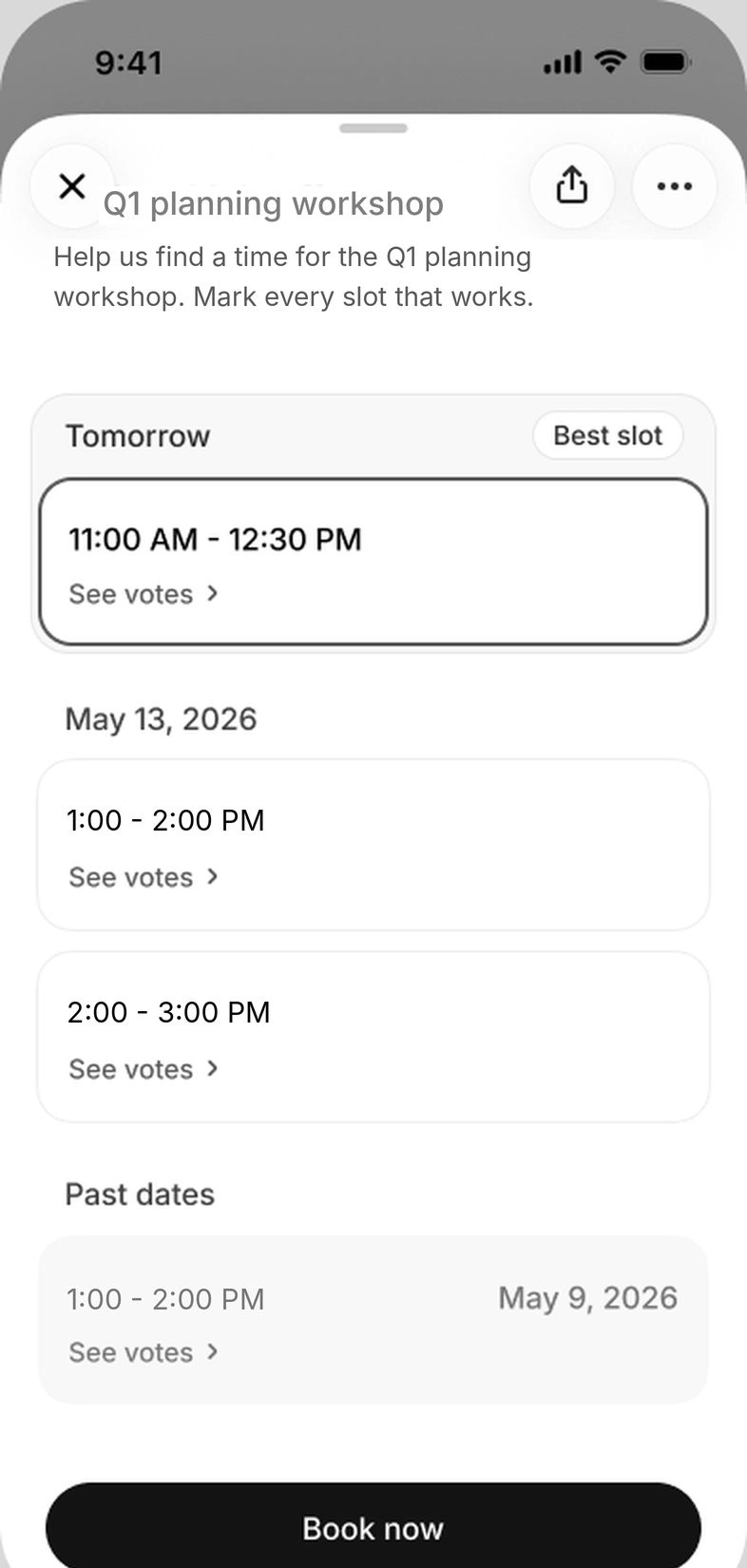
Screen 7 of 9: See the votes, then book Once people have voted, the best slot is flagged. Book it from your phone.
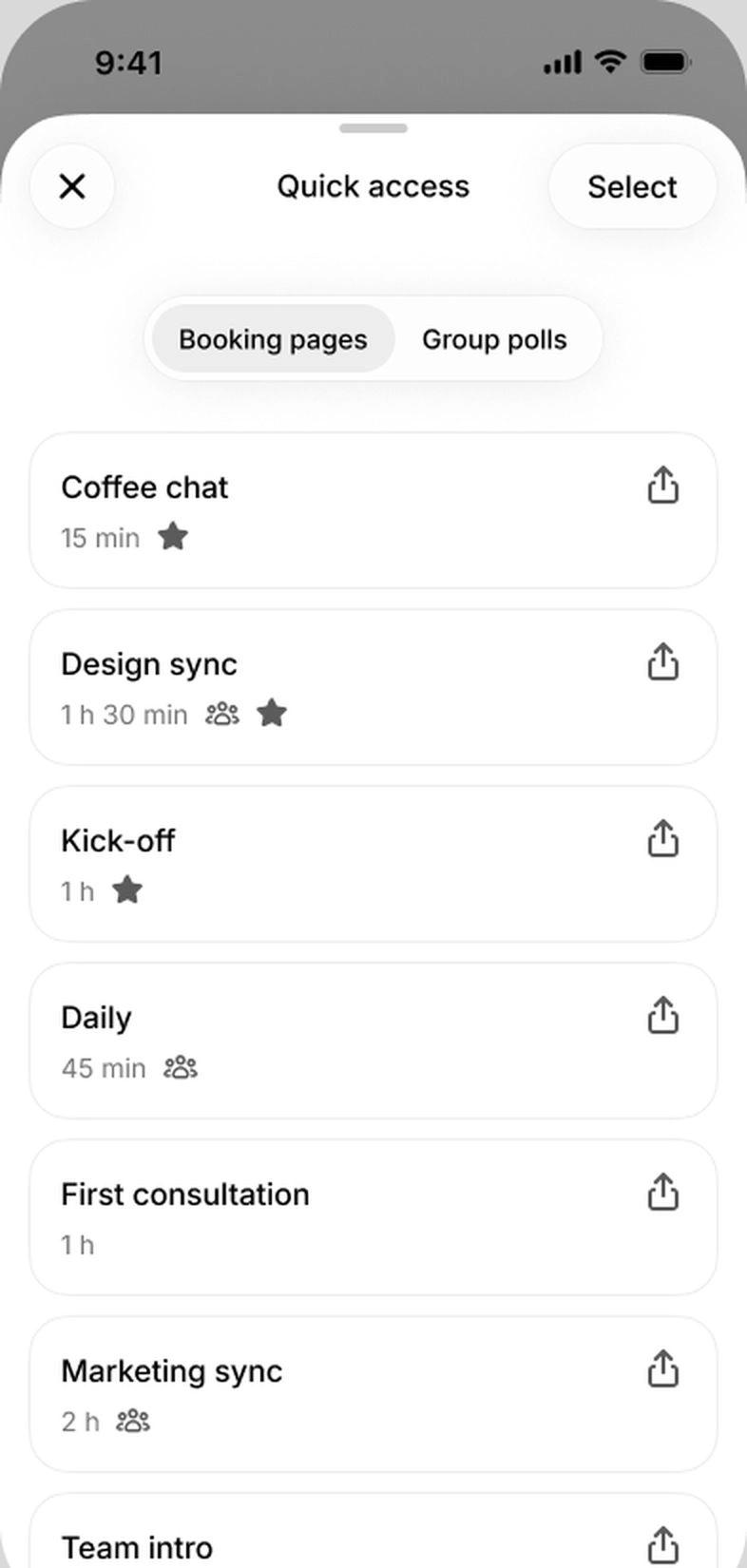
Screen 8 of 9: Share a booking page Quick access lists your booking pages and group polls, ready to share wherever you are.
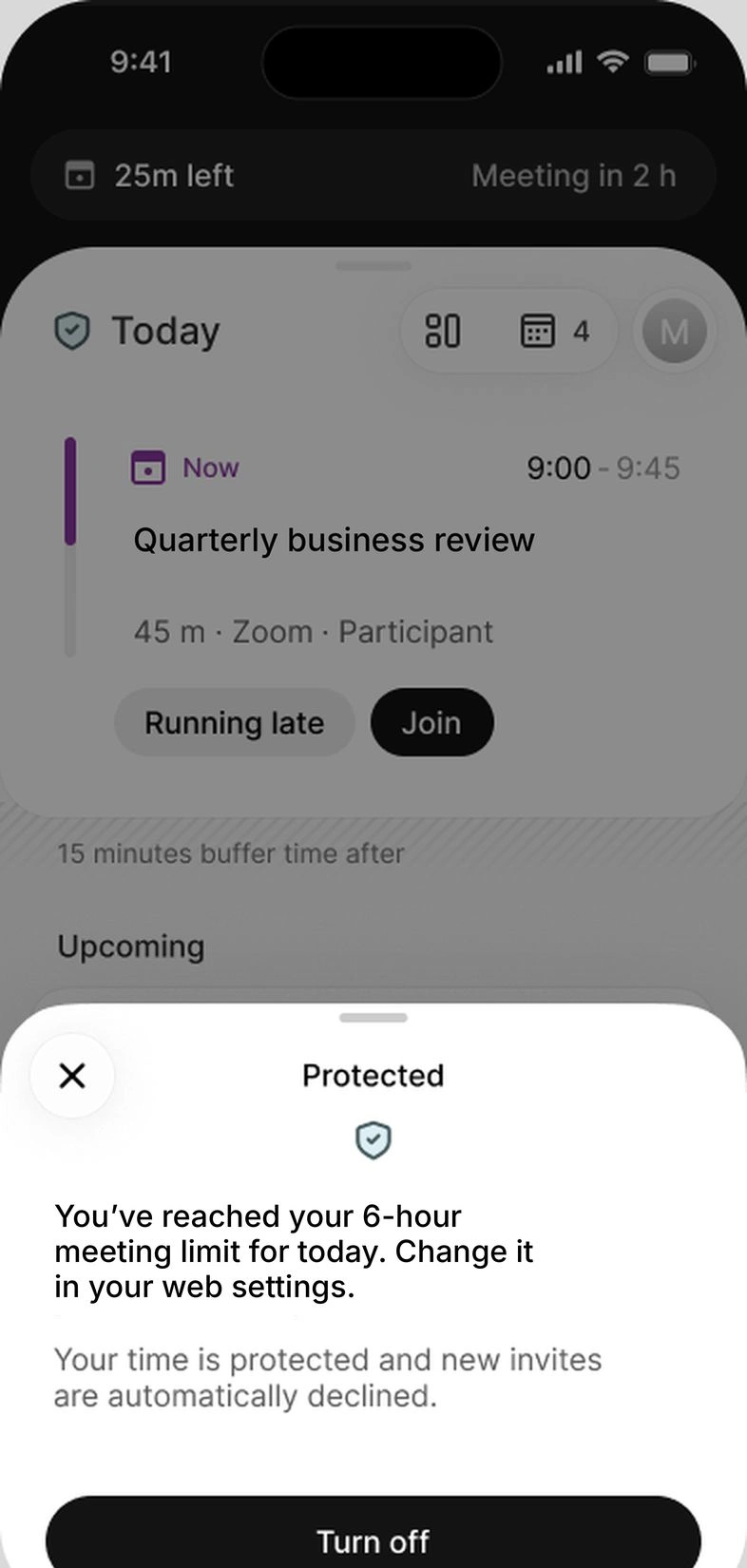
Screen 9 of 9: Protect the rest of your day Once you reach your daily meeting limit, Doodle declines new invites for you. You can turn it off for the day.
That’s your day, sorted from your phone Nine screens: your morning, a clash and the fix, then finding a time, booking it and protecting the rest of the day. Get the app and see it with your own calendars.
Demo data. Your own meetings appear in the app.
Doodle is on iOS and Android. See what’s now, catch a clash and join the call in a tap.
What can you do with Doodle on mobile?
Doodle on mobile is the Doodle app for iOS and Android, part of Doodle Time OS. It reads every calendar you connect and puts your day in order. Here’s what’s in it today.
See what’s happening now
Today opens with the Now card: the meeting you’re in and the time left, or the free time before the next one. Below it, Upcoming lists the rest of the day in order, with meetings, tasks and all-day events, and buffers and focus time shown as part of the day.
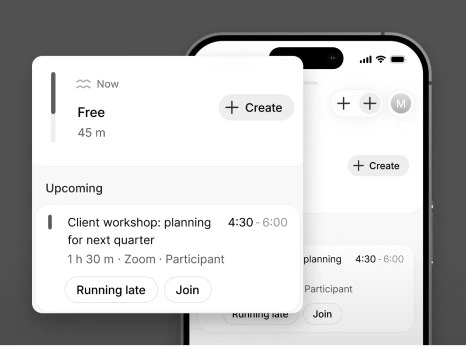
The Now card: free for 45 minutes, then the client workshop.
Look ahead, or back
Swipe to tomorrow, or pick any date from the date strip or the date picker. Getting ready for Thursday’s client day takes a couple of taps.
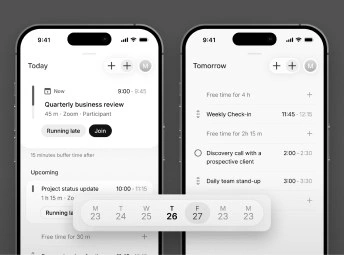
Today and Tomorrow, one tap apart on the date strip.
Doodle is on iOS and Android. See what’s now, catch a clash and join the call in a tap.
Catch the clash before you walk in
When meetings overlap, Doodle marks them on the day and shows how many clash, including any you’ve already declined. Open the conflict, compare the meetings in one view and decide what moves: decline one, or change its time.
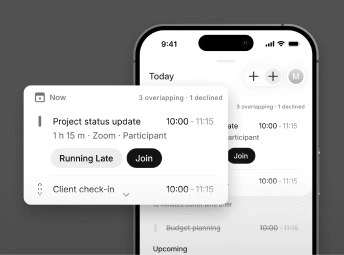
Overlapping meetings flagged on the Now card.
Change a meeting in a few taps
Open any meeting to see the room, the call link, who’s coming and who has said yes. Edit the time, location, repeat or notes, add people, or decline it. Running behind? Tap Running late from the meeting itself, or reschedule, plan a follow-up and email everyone from the same place.
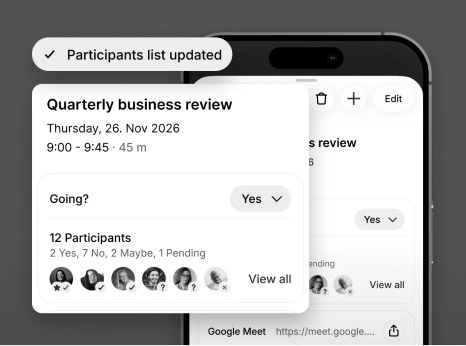
Who’s coming, who said yes, and the participants list updated from the phone.
Join the call in one tap
Zoom, Google Meet and Microsoft Teams links open straight from Today or from the meeting, and so do Collaboration Rooms if your team has the add-on. Meetings you’ve declined fold away, so the day stays easy to read.
Start the day with a brief
A short brief at the top of Today sums up your meetings, tasks and focus time, and tells you when your day starts.
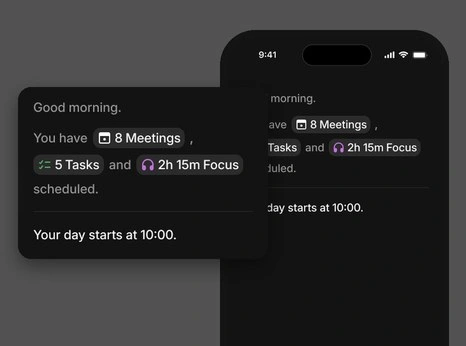
8 meetings, 5 tasks and 2h 15m of focus, summed up before the day starts.
Find a time, or send a poll
Add people and Doodle suggests the earliest time that works, with how many people are free at each time. Pick it to send the invite, or pick a few times to send a group poll.
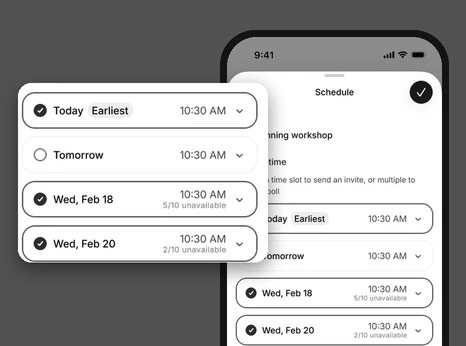
Earliest time flagged; two more picked to send a group poll.
See the votes, then book
Open a group poll to see the votes for each time, with the best time flagged, and book it from your phone. You can vote on polls you’re invited to, too.
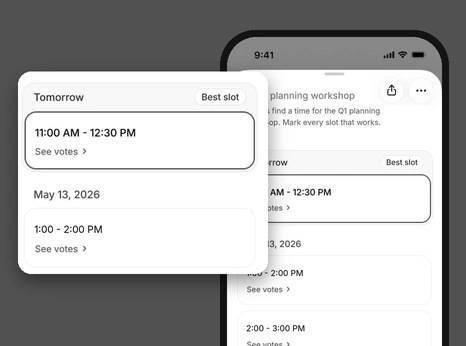
Votes for each time, with the best slot flagged.
Share your booking pages
Quick access lists your booking pages and group polls, ready to share through your phone’s share sheet. You create booking pages on the web.
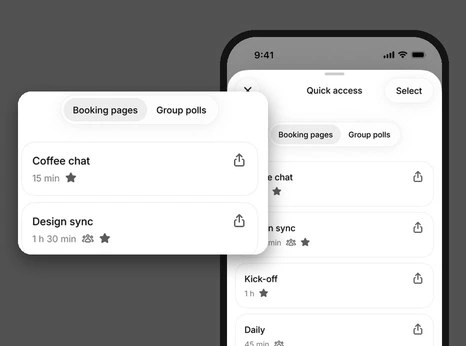
Booking pages ready to share from Quick access.
Doodle is on iOS and Android. See what’s now, catch a clash and join the call in a tap.
Protect your day
Set a daily meeting limit, focus time and out of office. Once you reach your limit, or during strict focus time, Doodle declines new invites for you, on the rules you set. You can turn it off for the day.
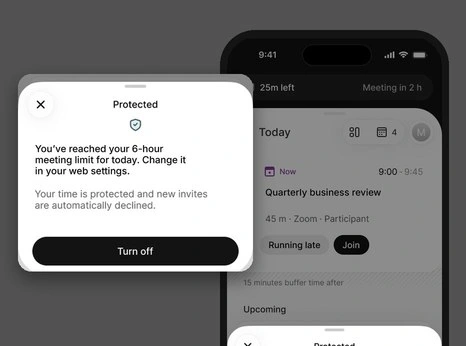
The daily meeting limit reached, with new invites declined.
Keep tasks next to your meetings
Add a task in seconds, set its priority and deadline, and see it in your day alongside your meetings.
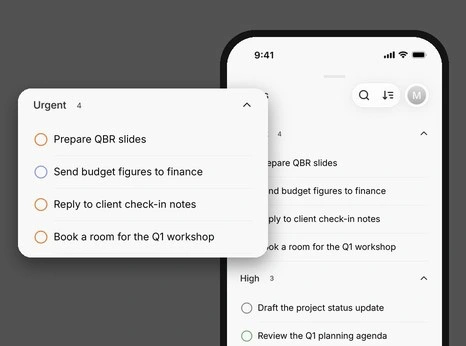
Tasks grouped by priority.
Does it work with the calendars you already use?
Yes. Doodle on mobile shows every calendar you’ve connected to Doodle: Google Calendar, Microsoft 365 and Apple iCloud. Your phone and your desktop use the same Doodle account, so a change on one shows up on the other.
How do you get it?
Doodle on mobile is free to download and comes with every Doodle plan, including the free plan.
Download it. Search for Doodle: Scheduling & Polls in the App Store on iOS or Google Play on Android.
Sign in. Use the account you use for Doodle on the web.
Open Today. Your connected calendars are already there.
Questions people ask
Is Doodle on mobile available on iOS and Android? Yes. Download it from the App Store for iOS or from Google Play for Android.
Do I need a new account? No. Sign in with the Doodle account you already use on the web, and your connected calendars and meetings appear in the app.
Which plans include the app? Every Doodle plan, including the free plan.
Can I join Microsoft Teams calls from the app? Yes. A Teams link in a meeting opens in the Microsoft Teams app on your phone.
Your day already lives on your phone. Now it’s in order there, too.
Take the day with you.
Get Doodle for iOS or Android today. It comes with every Doodle plan.
Sources
Adobe Acrobat, Mobile tech troubles research (1,000 US full-time employees, self-reported)
Work Trend Index special report, Breaking down the infinite workday, 2025
Screens show demo data. The app shows your own meetings and calendars.