COCKPIT
The day you actually have, on one screen.
Meetings, the people in them, what's owed by tonight, and the time that's still yours, together in one place. When the day changes, the fix is one tap away.
HOW IT WORKS
Work and personal, in one view of the day.
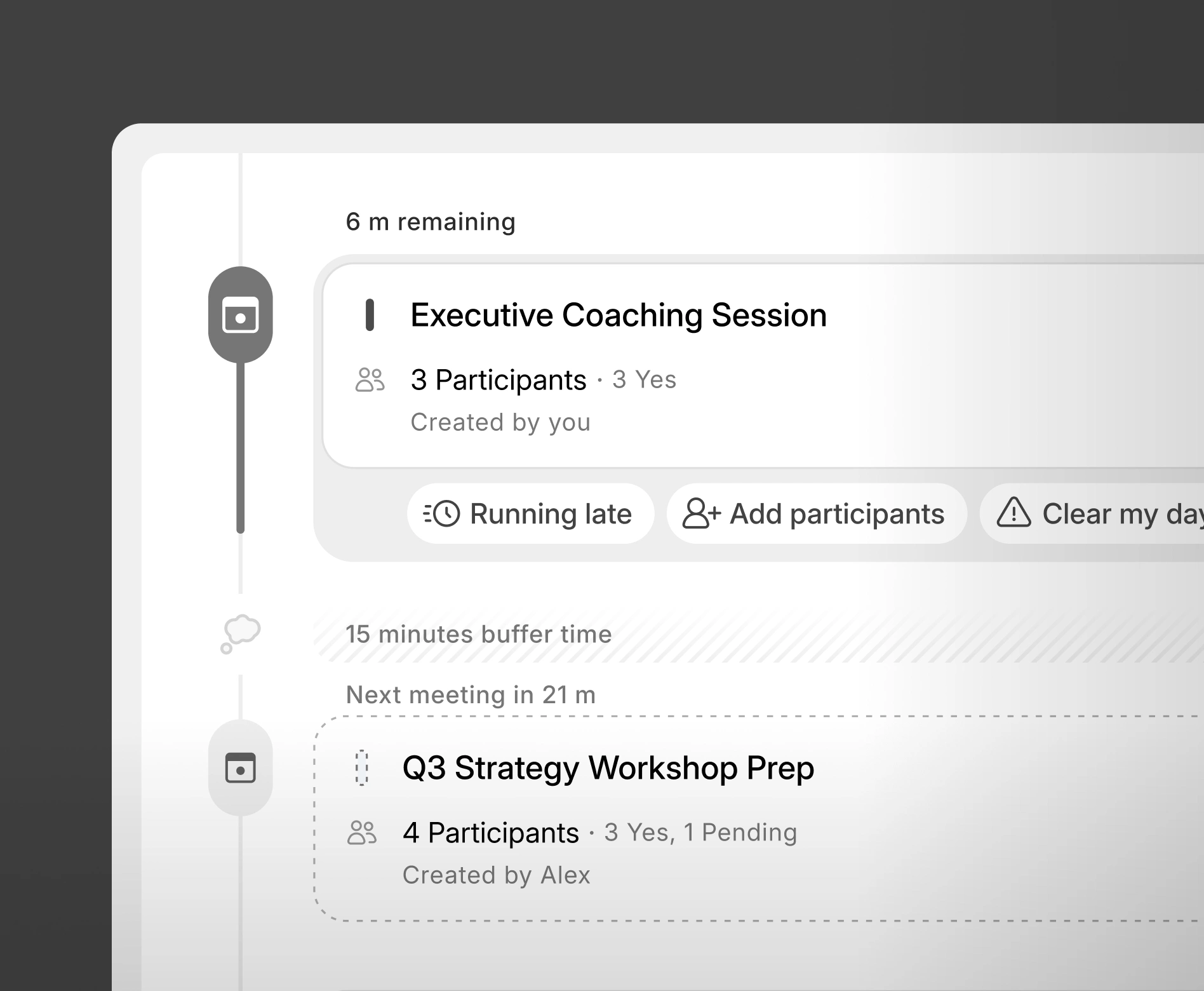
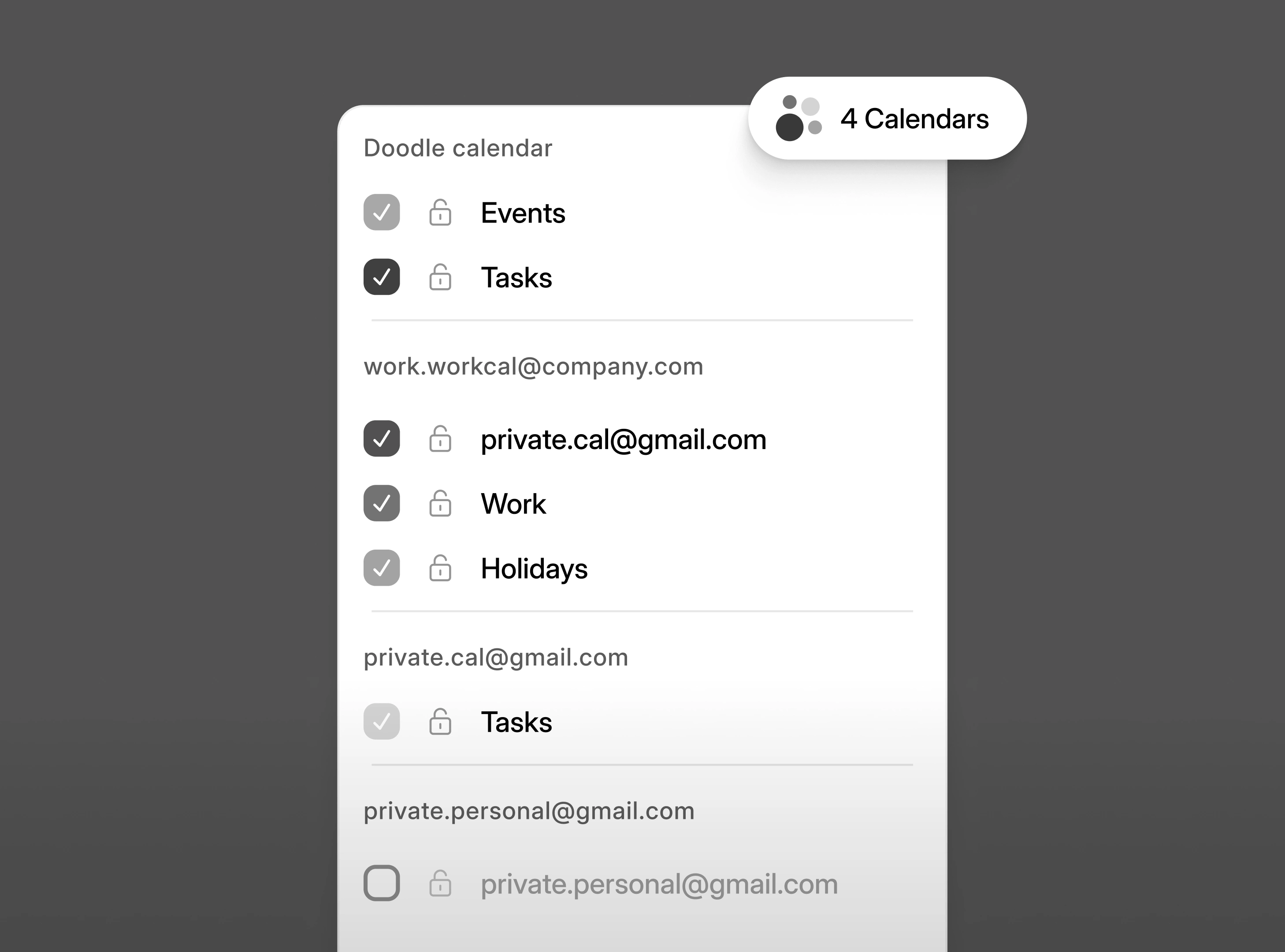
Cockpit shows you a focused view of your day ahead. It reads every calendar you connect, work and personal, so a dentist appointment blocks the hour the same way a client call does.
The day, in order, from every source you use.
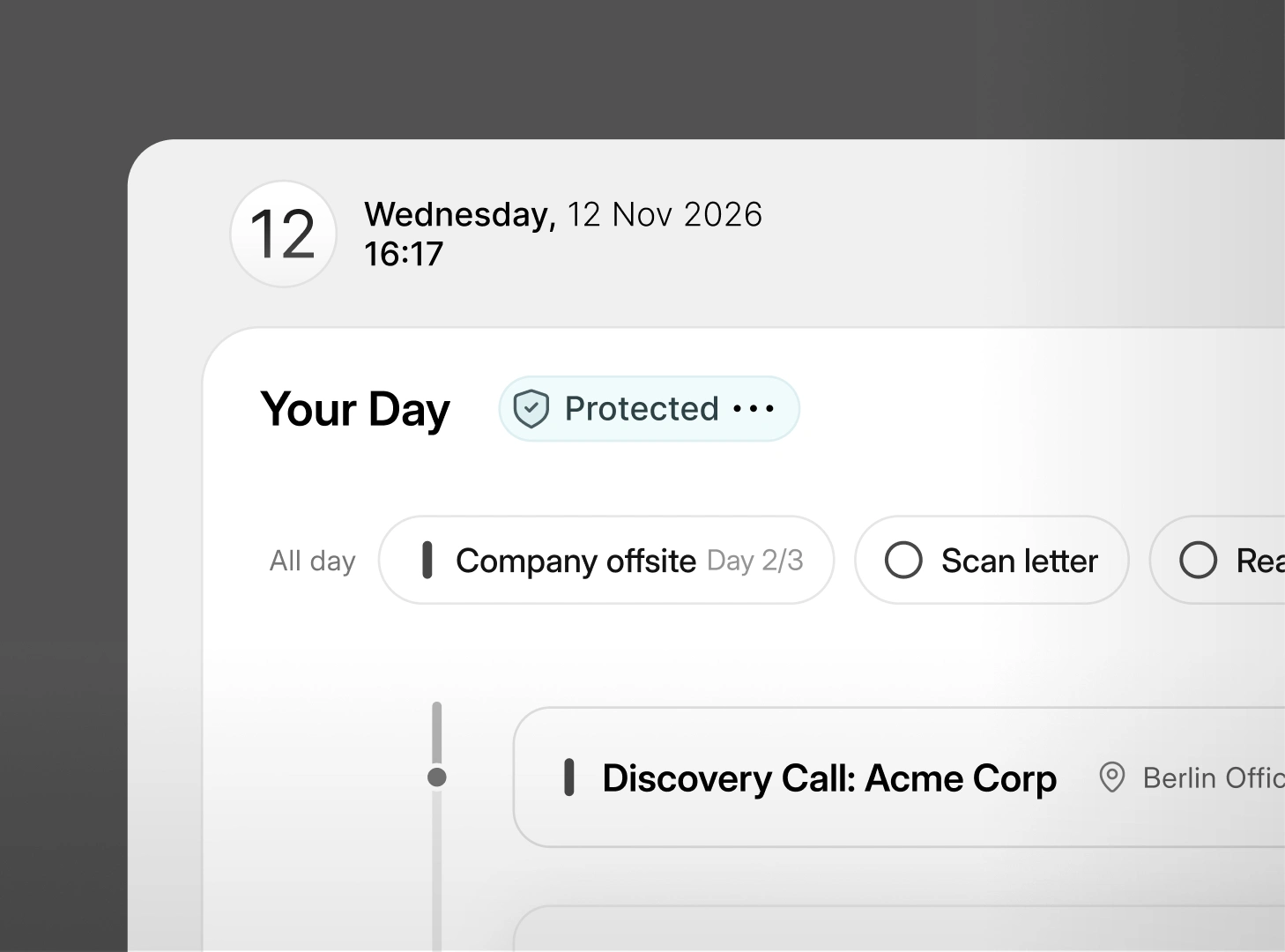
What's next, what's protected, and how much of the hour is left. Meetings arranged through Doodle and the ones already on your calendar sit in one column, and anything personal you'd never plug into a work tool still shows up as time that's taken.
- Every connected calendar in one column, work and personal alike
- Protected time shown as part of the day
- What's next and how much time is actually left before it
Close in on today, or stand back and see the week.
The week view shows the pattern: protected mornings, blocks that have filled up, the afternoon with three meetings stacked together. Switching between day and week is one control, and it keeps your place.
- One control to move between the day and the week
- Protected time visible across the week

As a fully remote organization with staff, Board members, partners, and donors across the country, I am frequently trying to coordinate many schedules and time zones. I have tried other schedulers in the past, but I find Doodle to be the most intuitive.

WHY IT MATTERS
When plans change and the meeting(s) needs an urgent fix.
You're running late, a meeting needs a person who isn't on it, an emergency means the afternoon has to go, or you need focus time and a meeting can move to async. Each of those is one tap on the meeting itself, and everyone affected is updated automatically thanks to Instant Actions.
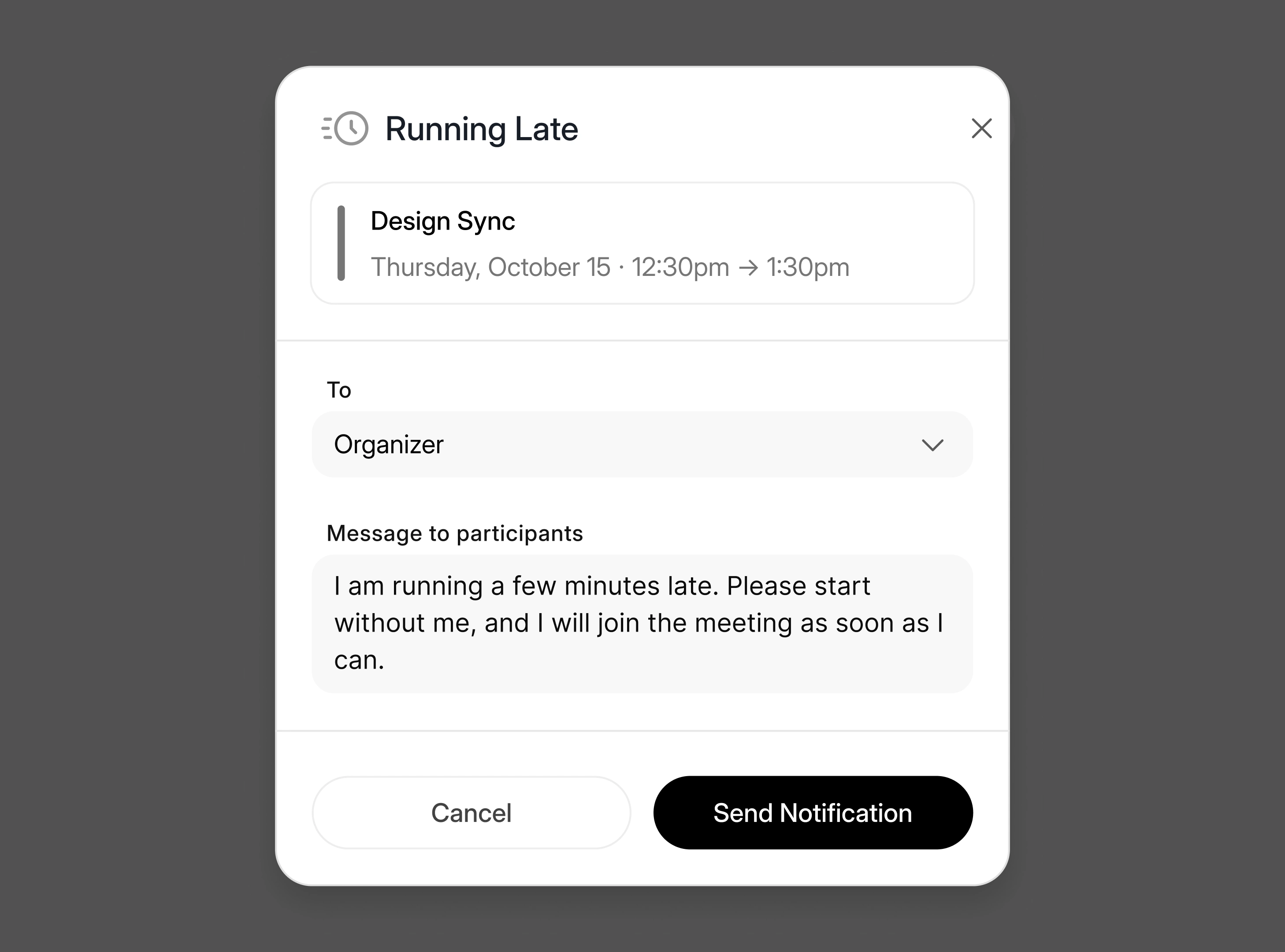
Running late? Or forgot someone?
One tap tells the people in the meeting with a ready-made template. You can also quickly add someone to the meeting that you missed initially, all from the Cockpit view.
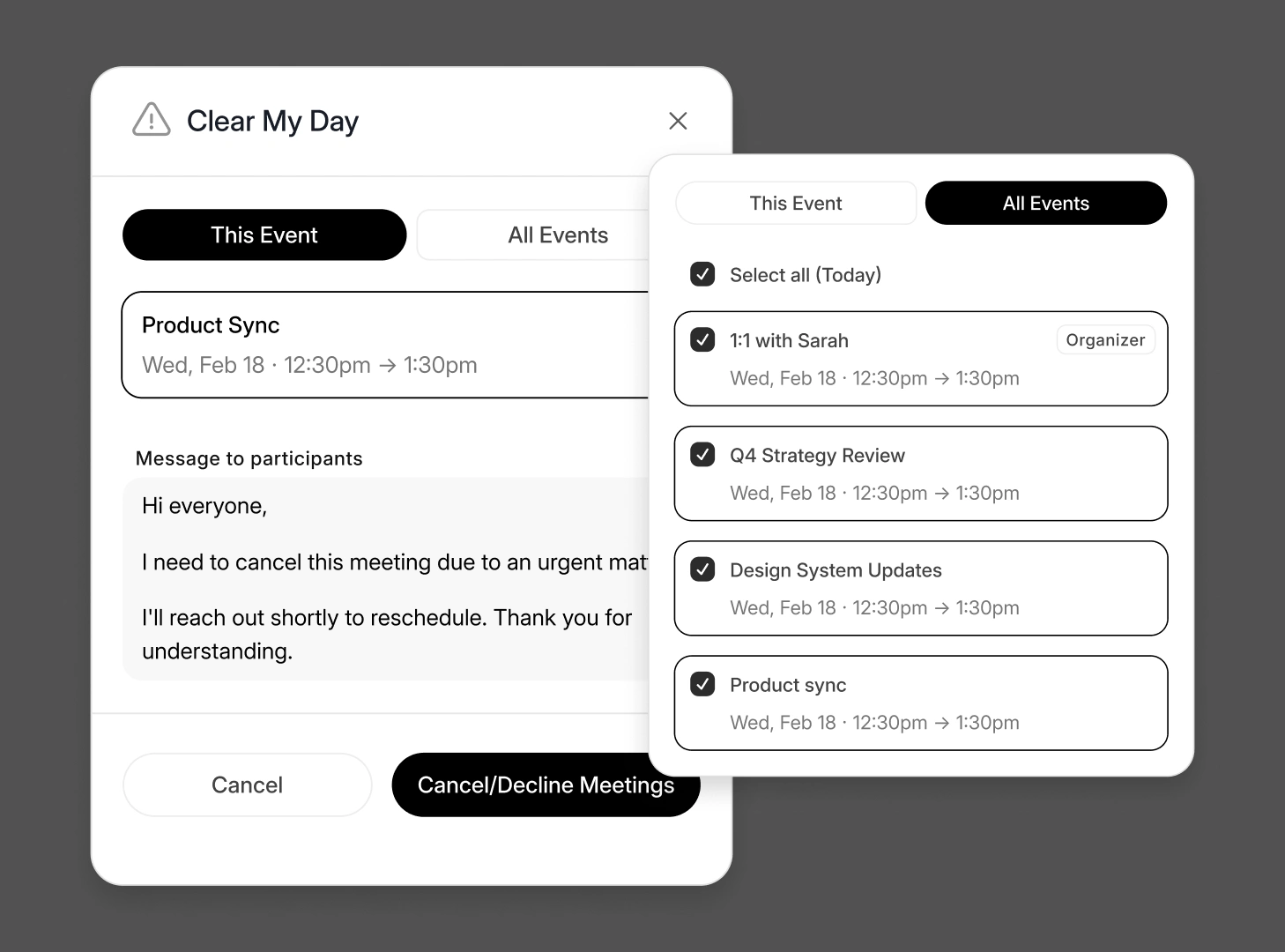
Clear my day, when the day has to go.
Something's happened and the afternoon has to go. One action clears it, from the day itself. Protected time and meetings sit in the same column, so what's being cleared is visible before it goes.
Every instant action, in one place.
"Switch to async" turns a meeting that’s crowding out focus time into an update everyone can read in their own time.
- Join meeting
 Add participants
 Running late
 Clear my day
 A-sync meeting
 Reschedule
 Create follow-up
 Send email
TASK WIDGET
Your to-do list, your way.
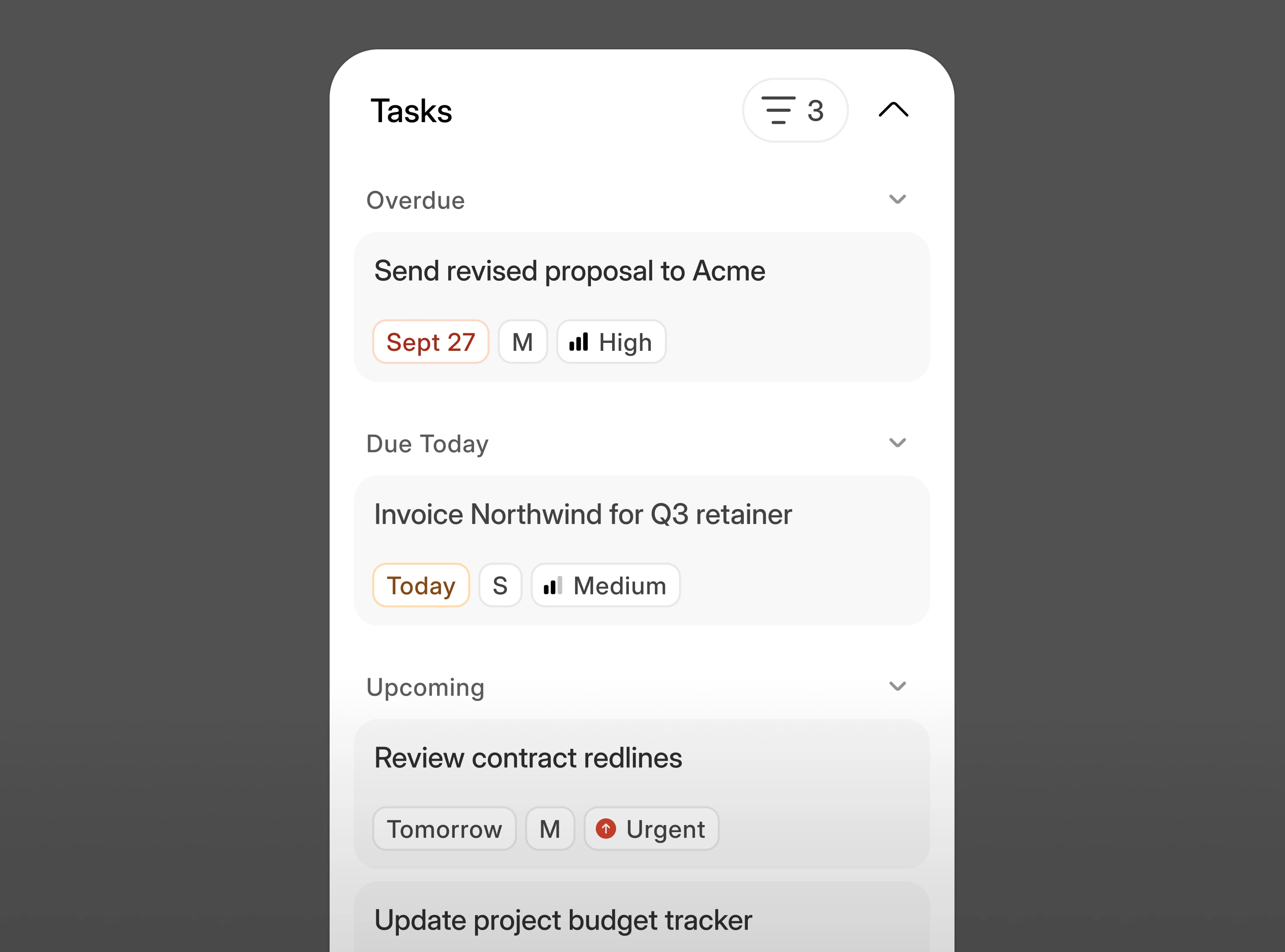
No need to switch between apps to organise your day from your meetings and tasks. Everything you need to do can be accessed from one place, in the format you prefer.
- Overdue, due today, and upcoming, visible next to the meetings
- Drag any to-do directly onto the calendar to give it real time
- No context-switching to find out what your day truly looks like
PEOPLE WIDGET
Who you're seeing today.
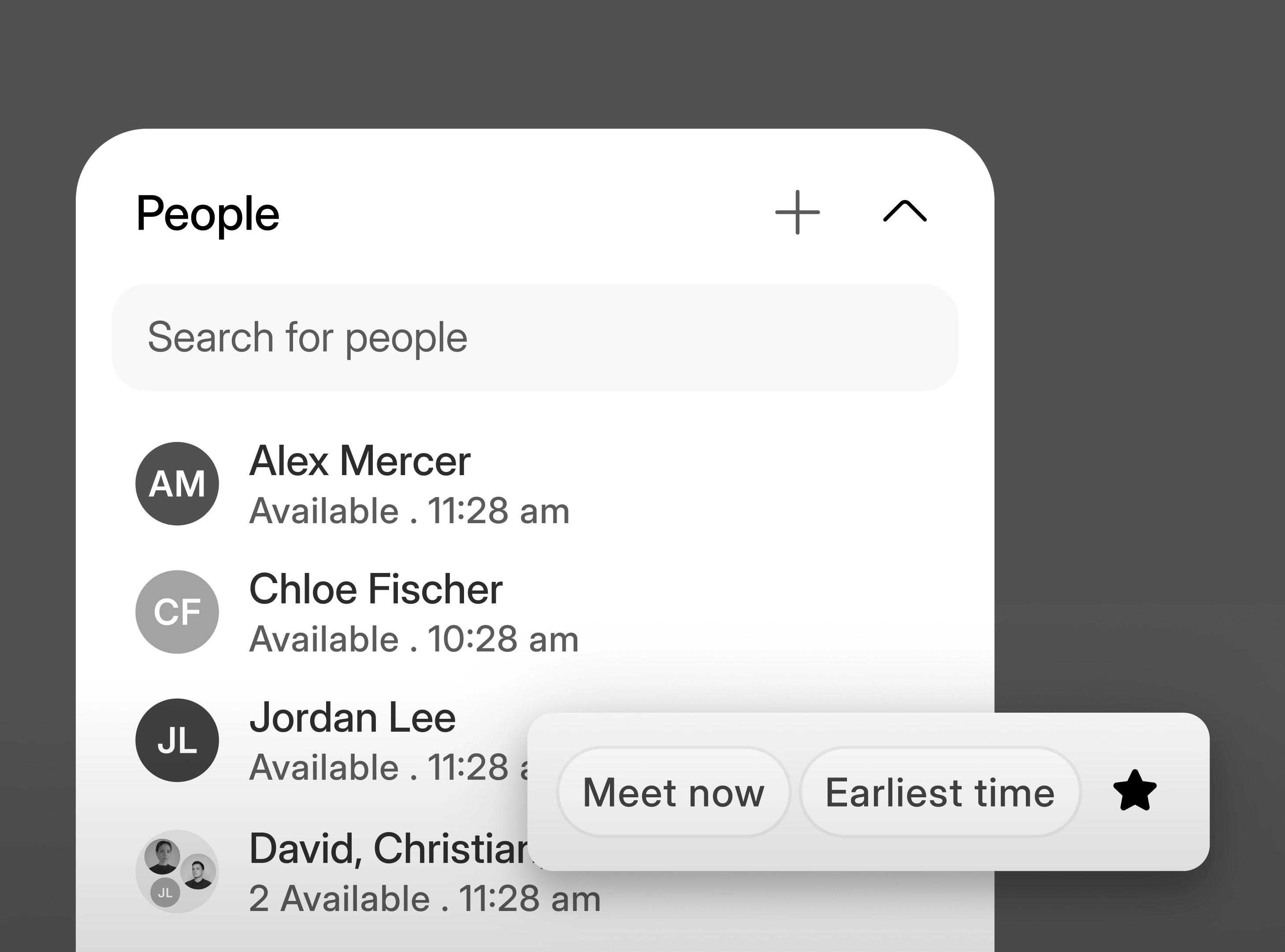
Who you're seeing today, when they're next free, and which of them work somewhere else. Booking one of them is a click from here, without going back to a search box or leaving the day to find a shared slot.
- Everyone you're seeing today, in one place beside the calendar
- See when someone is next free without asking them
- Grab time with the right person in a click, from inside the day
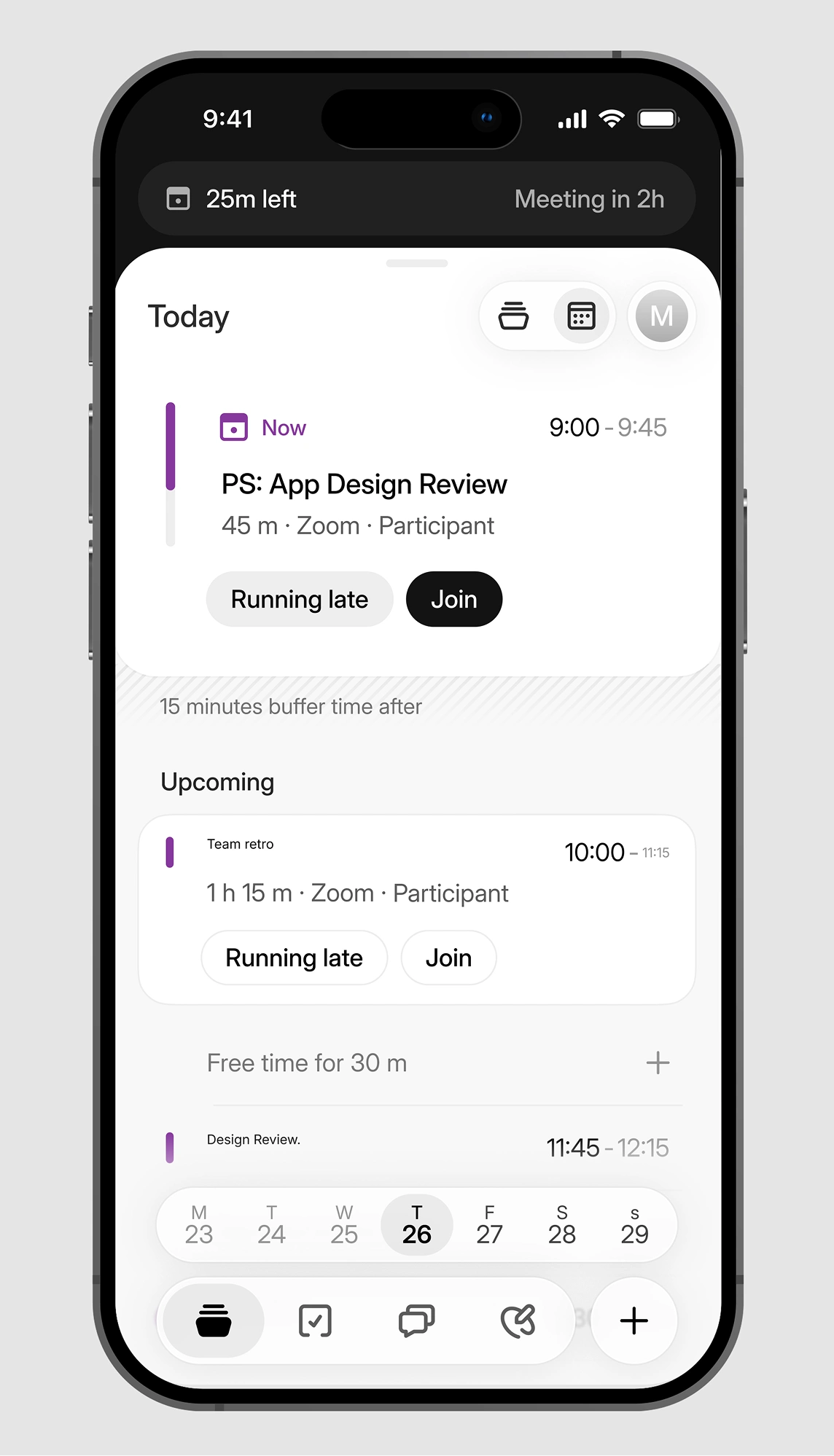
ADAPTIVE DAY BRIEF · MOBILE
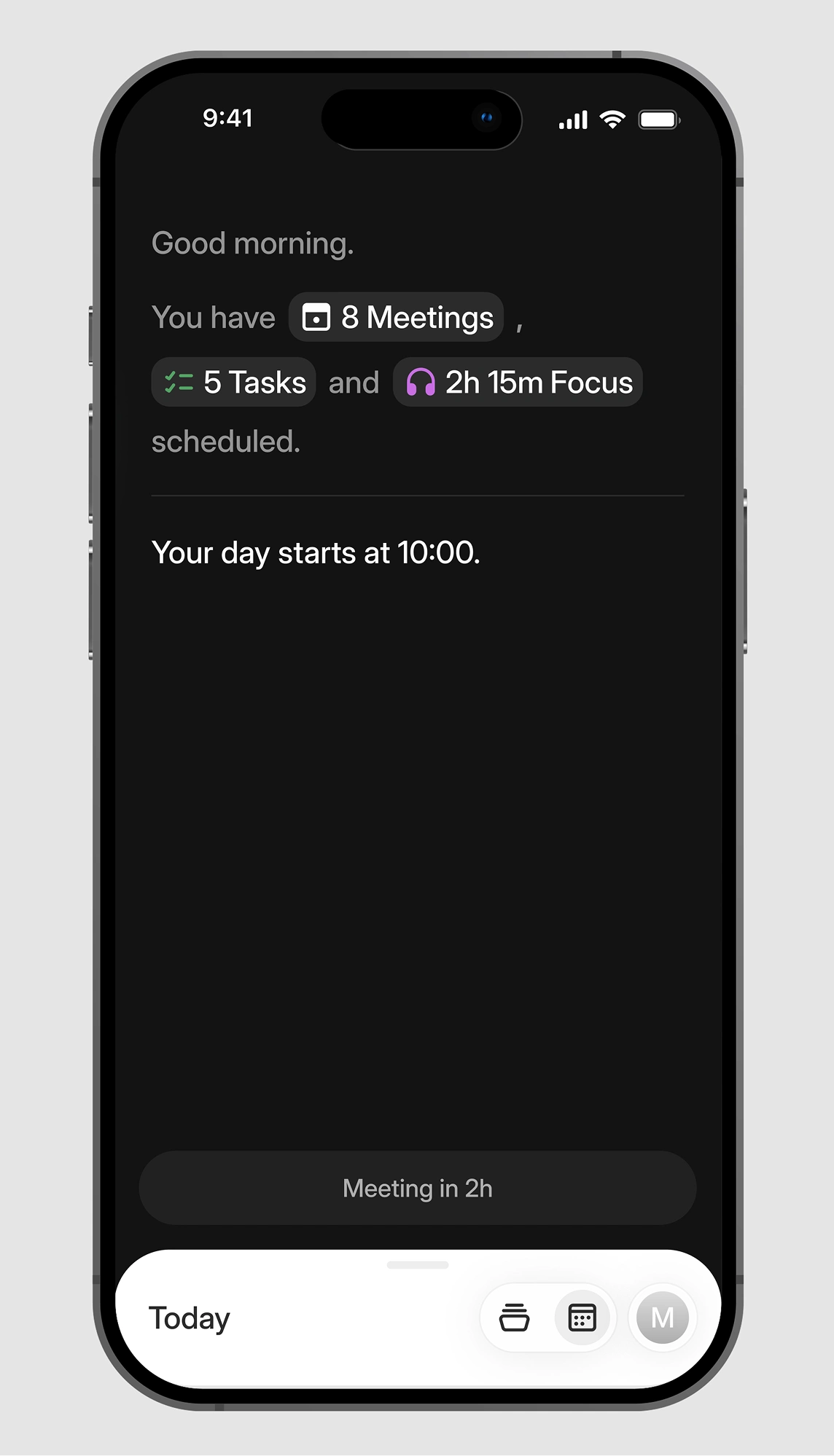
The brief, before you're at a desk.
At eight in the morning, the day arrives on your phone as a short brief of what's coming. What's next, who's in it, what's owed, and anything that changed overnight.


WHAT YOU GET
What the Cockpit does today
Items marked ‘Coming soon’ are still in development. Get in touch to see a sneak preview.
The day and week surface
Your day and your week in one place, with meetings, protected time and what's owed together.
- Available now

- Available now
Instant Actions
Running late, reschedule and follow up, on the meeting itself. Clearing a day, adding participants and joining a call sit alongside them.
- Available now
- Available now
The day brief on mobile
The day ahead as a brief, on the phone. Requires the Doodle mobile app.
- Available now
- Available now
Task widget
Overdue, due today and upcoming, next to the meetings, and draggable onto the day itself.
- Available now
- Available now
People widget
Who you're seeing today, when they're next free, and a click to book more time with them.
- Available now
- Available now
One place to create anything
A meeting, a task, focus time, or a poll, all started from the same control.
- Available now
- Available now
Switch to async
Move a meeting that's crowding out focus time into an update the room reads on its own time.
- Available now
- Available now
A day that repairs itself
When something breaks the day, it gets rebuilt around what still matters.
- Coming soon

- Coming soon
Works with the tools your team already uses





FAQs
No. Your calendars stay where they are. My Time reads every calendar you connect and shows them in one view of the day, with your tasks and protected time.

Your day in the middle. Everything you need to run it, around the edges.
Meetings, the people in them, what's owed by tonight, and the time that's still yours, together in one place. When the day changes, the fix is one tap away.